How to organize multiple agents on the same WhatsApp
When more than one person handles the same number, problems arise that a shared device or multiple WhatsApp Web sessions alone don't solve. Two agents can reply to the same customer, a conversation can end up without an owner, and important information can be lost between shifts. If there's automation, there's also the risk the bot keeps sending messages while someone else tries to take over the case.
WhatsApp multi-attendance organizes this operation by bringing conversations, context, owners and automation into a common process. In this guide you'll understand the role of a shared inbox, how to combine AI and human agents, and how to differentiate inbox, CRM and tickets without treating these tools as synonyms.
For more content on organizing and conversation quality, see the customer support.
What is WhatsApp multi-attendance?
WhatsApp multi-attendance is a way to allow multiple professionals to monitor and handle conversations from one or more numbers within an organized operation. The goal is not just to provide simultaneous channel access. It's to make visible who is handling each contact, what has already happened and what the next step should be.
A multi-user WhatsApp setup can include:
- a shared inbox to centralize conversations;
- identification of the agent who took the conversation;
- history available for continuity between people and shifts;
- clear automation status, indicating when it is active or paused;
- contact data and information collected during the conversation;
- tickets for requests that need to continue outside the chat;
- routing and escalation criteria defined by the company.
Exact behavior depends on the platform and configuration. Before subscribing, confirm which of these features exist and how they behave in your team's real workflow.
Why sharing a single device isn't enough?
A shared device concentrates access but doesn't establish responsibility. The team may not know who read a message, whether someone is already preparing a reply, or why the conversation was interrupted. The same applies to parallel accesses without an operational layer: simultaneous presence does not equal coordination.
In small teams with few conversations, internal rules may be sufficient for a while. As volume, shifts or involved areas grow, the lack of assignment and context tends to become harder to control.
What is a shared WhatsApp inbox?
A WhatsApp inbox is an inbox used by the team to view and continue channel conversations in a shared dashboard. Instead of each agent working in isolation, the operation tracks history and the state of service in a single environment.
A shared inbox should help answer basic operational questions:
- is this conversation being handled?
- who is the current owner?
- has the customer already received any reply?
- what data has been collected?
- is the automation active or has a person taken over?
- is there any pending item that will continue after the conversation?
This information reduces dependence on individual memory. It also makes context handovers easier when an agent ends a shift or when another area needs to participate.
Inbox is not just a message list
A chronological list shows what arrived, but doesn't necessarily organize the work. To support multiple agents you need to combine visibility with a responsibility process. Even when the platform offers operational features, the company must define how a conversation is taken, transferred, closed and reopened.
How do AI and human agents work together?
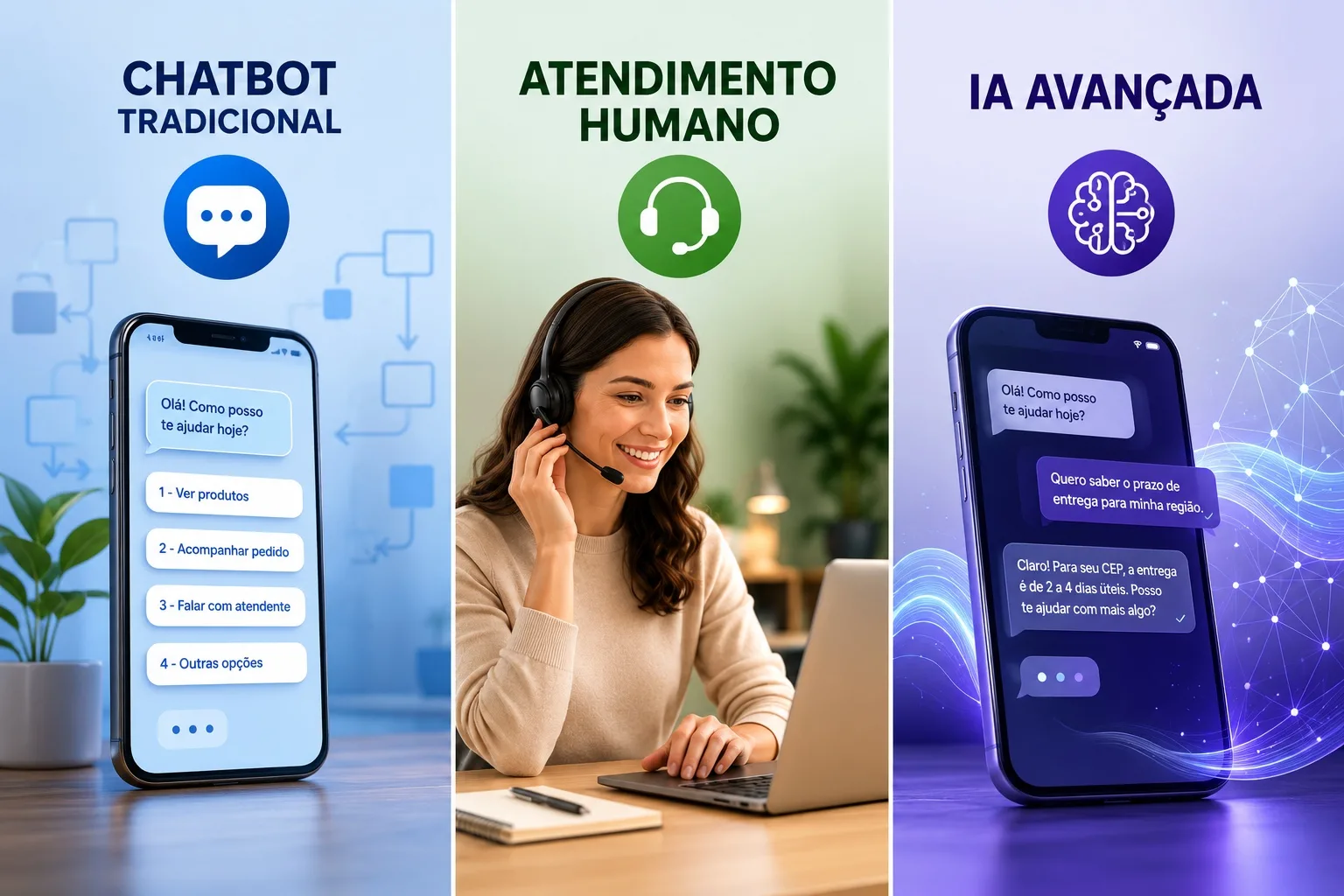
AI can handle repetitive or initial steps while the team takes over situations that require judgment, negotiation, empathy, or special access. This division should be planned by request type, not just by volume.
Where AI can help
- identify the topic of the conversation;
- answer recurring questions using authoritative sources;
- collect information needed to continue support;
- summarize context before transfer;
- guide the next step when there is a clear rule.
A WhatsApp AI chatbot must not improvise information that belongs to specific systems or policies. Scope, sources, allowed actions and transfer criteria need to be configured and tested.
When human support should take over
Handoff should occur when:
- the customer asks to speak with a person;
- the AI lacks confidence or sufficient information;
- there is repetition, misunderstanding or a contested response;
- the case involves a complaint, negotiation or sensitive situation;
- a decision requires human authorization;
- the topic is outside the configured scope.
When transferring, the team should receive history, a summary, data already provided and the reason for the handoff. During human support, automation must pause so it does not compete in the conversation. Afterwards, an explicit condition defines whether the flow will be closed or resumed.
This design also applies to the journey of support on WhatsApp, in which recurring questions, triage, human support and follow-up can be part of the same process.
How to avoid duplicate replies and lost history?
Duplicate replies and forgotten conversations are usually not just attention lapses. They indicate absence of state, responsibility or shared process. To reduce these problems, establish simple, verifiable rules.
Assign an owner per conversation
When someone takes ownership, that should be visible to others. If there is a transfer, record the new owner and the reason. Avoid informal agreements that exist only outside the platform.
Pause automation during handoff
The system should make it clear whether the conversation is with the bot or the team. When an operator takes over manually, they must be able to stop automatic replies. Resumption should not happen by chance or simply due to elapsed time.
Record useful context
History is not just saving every message. Highlight information needed for continuity: reason for contact, confirmed data, actions taken, pending items and next steps. Summaries help, but do not replace consulting the history when a decision requires details.
Create clear states
An operation can use states such as new, in service, waiting for customer, waiting for internal area and closed. Names matter less than criteria: everyone must understand when to use each state and what should happen next.
Avoid invisible parallel work
If two areas need to act, define who responds to the customer and how internal collaboration will be recorded. Keeping a single point of communication reduces contradictory messages.
Inbox, CRM and tickets: what’s the difference?
Inbox, CRM and tickets can be connected, but they solve different problems. Confusing them often leads to incomplete records, unnecessary tickets or conversations without continuity.
| Component | Main function | Usage example |
|---|---|---|
| Inbox | Organize conversations and the work of multiple agents | One person takes the chat, pauses the bot and replies with history |
| CRM | Organize contacts, data, history and opportunities | Record interest, tags, notes and commercial continuity |
| Tickets | Track requests that require deadlines, responsibility or investigation | Open a technical ticket with summary, category, priority and evidence |
When to use the inbox
Use the inbox when the priority is to monitor and respond to the conversation. It is the operational space for ongoing support.
When to record in the CRM
Use a CRM connected to WhatsApp when the contact and its context need to remain organized beyond a specific conversation, especially in sales or relationship journeys.
When to create a ticket
Create a ticket when the request doesn't end in the chat. A ticket workflow for structured follow-up can preserve description, priority, evidence and history for the team responsible.
What to evaluate in a multi-agent platform?
The choice should start from a real company scenario. Ask to test a conversation that begins in automation, passes to a person, generates a pending item and is later resumed. During the evaluation, check:
- Visibility: does the team identify who is handling it and what state the conversation is in?
- History: are messages and necessary data available for continuity?
- Handoff: can the agent take over and pause the automation?
- Resumption: is there a clear procedure to return the conversation to the flow?
- Context: do collected data, summaries, tags and pending items appear for the agent?
- CRM: can contacts and relevant information be organized without duplicate typing?
- Tickets: can requests that continue outside the chat be recorded and tracked?
- AI: can sources, instructions, limits and transfer cases be configured and tested?
- Accesses: can the company control who views and changes information?
- Policies: is the operation compatible with the current rules of the Official WhatsApp API?
Don't assume every platform offers automatic distribution, advanced queues, reports or specific integrations. Confirm each requirement during the demo and record what is indispensable to the process.
How to implement WhatsApp multi-agent in practice?
1. Map contact reasons
Identify the most frequent requests, who can resolve them and what information is needed. Separate simple questions, requests that require checks and cases that need judgment.
2. Define roles and responsibilities
Determine who monitors new conversations, who takes each type of case, how transfers happen and who follows up on pending items. Include shifts, absences and escalation.
3. Design the handoff
Choose objective triggers for human assistance. Define which data and context follow the conversation, how the bot is paused and when it can return.
4. Organize inbox, CRM and tickets
Decide what remains as a conversation, what updates the contact and what becomes a trackable request. Avoid recording the same information in conflicting ways.
5. Prepare the AI and flows
Automate predictable, low-risk cases first. Use approved sources, set limits and test variations, incomplete messages, exceptions and requests for human assistance.
6. Run a controlled pilot
Start with one team or type of support. Watch for duplicated conversations, cases without an owner, incomplete transfers and responses that needed correction.
7. Track operational metrics
Measure time to first useful response, time to human when requested, conversations without an owner, transfers, reopenings, incomplete tickets, corrections to automated replies and complaints. Analyze data by contact reason, not only as an overall average.
Frequently asked questions about WhatsApp multi-agent
What does WhatsApp with multiple agents mean?
It means allowing multiple people to handle the channel within a coordinated operation. Beyond access, it's necessary to organize responsibility, history, conversation state and the handover between automation and the team.
Is WhatsApp inbox the same as multi-agent?
Not exactly. The inbox is the shared inbox used to operate conversations. Multi-agent is the broader process that includes people, rules, responsibilities, automation and continuity.
Can multiple agents reply at the same time?
The platform may allow simultaneous access, but operations should avoid concurrent responses. Ideally there should be a visible owner and rules to take over or transfer each conversation.
Does AI replace agents?
Not necessarily. It can answer recurring questions, triage and collect information. People remain important for exceptions, negotiations, complaints, sensitive decisions and out-of-scope cases.
When should a conversation become a ticket?
When the request requires investigation, deadlines, accountability or follow-up after the chat. The ticket should include the necessary context so the team can continue without asking the customer for everything again.
Do you need a CRM to use an inbox?
Not always. The inbox organizes conversations. A CRM is useful when contacts, history, interests and opportunities need to be tracked beyond the current interaction.
Organize conversations before scaling automation
Multi-agent WhatsApp is not just adding more people to the same channel. It’s about creating visibility, accountability and continuity so each conversation has an owner, a history and a next step.
Start by defining the process. Then use the inbox to centralize conversations, AI for appropriate steps, human agents for situations requiring judgment, CRM to organize contacts and tickets to track pending items.