How to avoid manually copying leads from WhatsApp
A sales conversation starts on WhatsApp, but the data needed to continue the relationship stays trapped in the chat history. Someone has to copy name, phone, interest and notes into RD Station. When this task is postponed or done without a standard, incomplete records, lost sources and follow-ups without context appear.
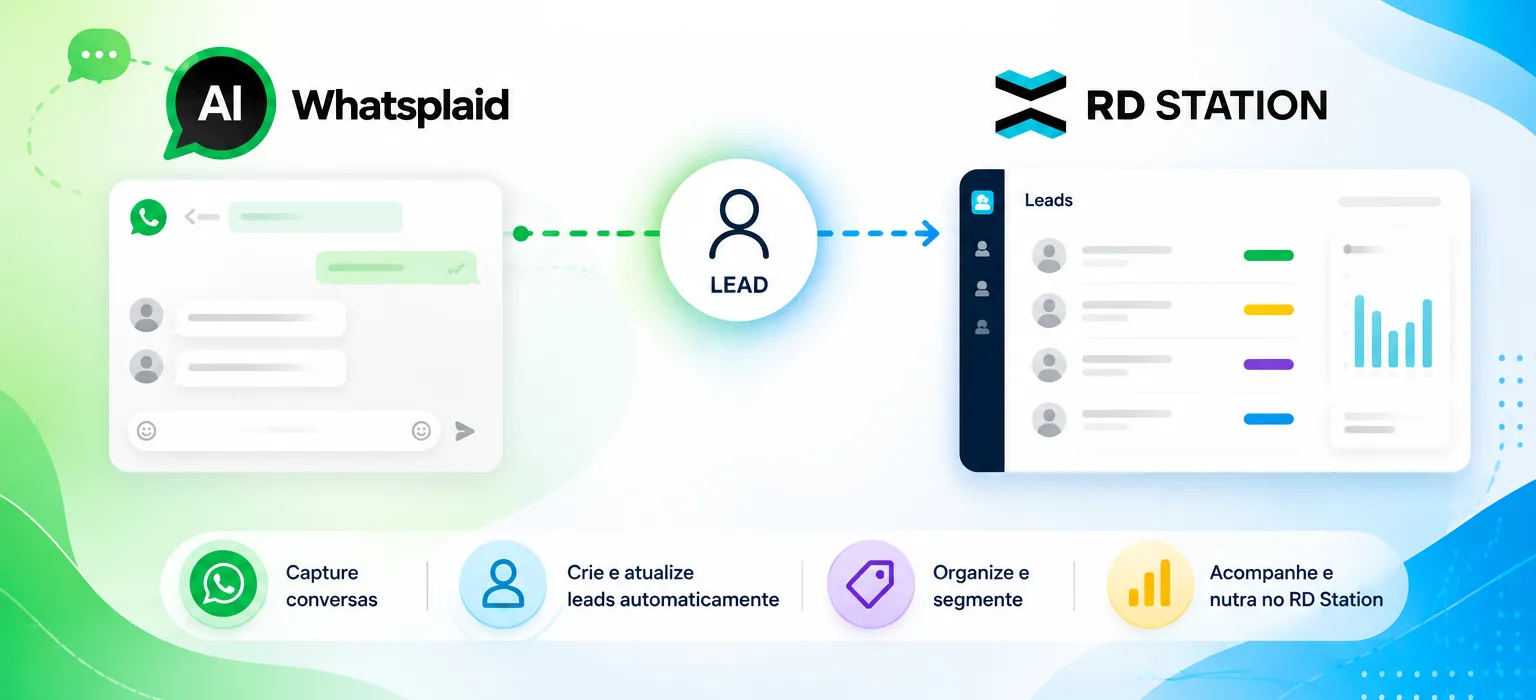
An RD Station WhatsApp integration organizes the handoff between the conversation and marketing operations. The flow can capture and qualify the lead on WhatsApp and send to RD Station the data defined in the validated mapping. From there, segmentation, marketing automation and follow-up are configured in the appropriate environment.
In this guide you will understand what needs to be defined before the connection, which data to collect, how to prepare the fields and what to validate after sending.
What does integrating WhatsApp and RD Station mean?
Integrating WhatsApp and RD Station means creating a structured data handoff between conversational support and the platform that will receive the lead. In the documented scope of Whatsplaid's integration, the published direction is Whatsplaid → RD Station.
In practical terms, the process can be organized like this:
- The person starts or continues a conversation via WhatsApp.
- The flow collects data and context according to configured questions.
- Criteria defined by the company help qualify the contact.
- Mapped fields and responses are sent to RD Station.
- RD Station receives the lead for the processes configured in that environment.
This scope should not be interpreted as bidirectional synchronization. It also does not imply a general read of RD Station data during the conversation. If the operation needs the opposite direction of exchange, updating existing records or additional behavior, the requirement must be technically confirmed before deployment.
What is the role of each tool?
- WhatsApp: channel where the conversation with the contact takes place.
- Whatsplaid: captures and qualifies the lead during the conversation and sends the data according to the configured flow.
- RD Station: receives the lead for segmentation, marketing automation and database management, according to the configuration made there.
- CRM: category of system used to organize contacts, opportunities and sales activities; it is not synonymous with WhatsApp or with the integration.
- Zapier: intermediary tool to connect applications in custom flows; it is not equivalent to a direct connection with RD Station.
Which data should be captured in the conversation?
The integration can only send data that is available and has been mapped. Therefore, the first step is not to connect accounts, but to decide which information is necessary to identify, segment and follow up the lead.
Identification data
May include, depending on need and configuration:
- name;
- phone;
- email;
- company;
- city, region or language.
Do not request a field just because it exists in the system. Each piece of data must have a clear purpose in support or in subsequent stages.
Commercial context
Context explains why the contact entered the database and may contain:
- product, service or topic of interest;
- origin of the conversation or campaign;
- declared need;
- expected deadline or timing;
- answers relevant for segmentation;
- next agreed action.
A phone number without context forces the team to reconstruct the conversation. An organized record allows understanding the interest without reading the whole history before each action.
Consent and communication preference
Starting a conversation on WhatsApp does not represent unrestricted authorization for any future campaign. When applicable, record the stated purpose, contact preference and stop requests. Messages and campaigns must comply with LGPD, the current policies of the Official WhatsApp API and other rules applicable to the operation.
To deepen the pre-integration step, consult the guide on how to capture and qualify leads via WhatsApp.
How to qualify the lead before sending?
Qualifying means gathering enough information to define the next step. There is no universal model: each business must establish criteria consistent with its product, support capacity, and sales journey.
A conversation can explore, when appropriate:
- the purpose of the contact;
- the current situation;
- the product or service sought;
- an essential requirement;
- the expected deadline;
- the region served;
- the profile or size of the operation.
This information does not need to be collected as a rigid form. A WhatsApp lead capture structure can use configured questions during the conversation and record only what is relevant.
When to send to RD Station?
The sending moment depends on the process. Some companies record the contact as soon as there is minimal identification. Others wait for qualification information. A third option is to use different states, provided the behavior is documented and technically supported by the chosen configuration.
Define a verifiable rule, for example: "send when name, phone and interest are available" or "send after screening is completed." Avoid subjective criteria that the flow cannot apply consistently.
What to do with incomplete data?
Decide in advance whether the flow should ask for the information, forward to a person, record partially, or wait. Mandatory fields incompatible between source and destination may interrupt the sending. This scenario must be part of testing.
How to map fields, tags and source?
Mapping is the correspondence between the data collected on WhatsApp and the field that will receive it in RD Station. The name shown to the user should not be the only reference; document the technical identifier, format and filling rules.
| Data from the conversation | Mapping decision | Required validation |
|---|---|---|
| Name | Define destination field and handling of missing names | Confirm it arrived in the expected field |
| Phone | Standardize country, area code and format | Test variations and duplicates |
| Define when to request and validate | Test absence and invalid address | |
| Interest | Choose field, tag or standardized value available | Confirm expected segmentation |
| Source | Preserve campaign, page or entry point | Check that the value is not overwritten |
| Qualification responses | Select only useful information and compatible fields | Check format, options and limits |
Standardize values before sending
If the conversation accepts answers like “small”, “up to ten people” and “team with 8”, the destination may need a standardized value. Define how this transformation will be done and what happens when the response does not fit the expected options.
Preserve the lead source
The source helps understand which campaign, page, ad or action started the conversation. Determine whether it comes from a parameter, link, form or flow rule. Test accesses without source identification and set a neutral value instead of inventing an attribution.
Plan for duplicates
The same contact can converse more than once or enter through different campaigns. Confirm how RD Station identifies records and how the integration handles an existing lead. Do not assume creation, update or merge without validating the real behavior.
How does the lead reach RD Station?
In the documented direct connection, the company authorizes its RD Station account in the Whatsplaid dashboard, configures capture and validates the mapping of required data. Then, leads collected on WhatsApp are sent to RD Station according to the configured flow.
A safe procedure includes:
- Authorize the correct RD Station account.
- Define the event or condition that triggers the sending.
- Map conversation fields to the available destinations.
- Simulate a complete conversation on WhatsApp.
- Check the data received in RD Station.
- Test for missing fields, invalid values, and existing contacts.
- Record the approved flow and who will be responsible for maintenance.
The availability of the integration may depend on the Whatsplaid plan and the conditions of the RD Station account. Fields and behaviors must be confirmed in the environment used by the company.
What if the company needs a custom integration?
When the process requires systems or events not covered by a published connection, an API with webhooks can be considered for customized flows. This requires technical design, authentication, validation, error handling, and maintenance. An API does not make different tools equivalent nor does it, by itself, guarantee all directions of synchronization.
What to do after sending?
The integration completes the handoff of the lead but does not automatically define the marketing or sales strategy. After confirming receipt, the company needs to configure appropriate handling for that record in RD Station.
Segmentation
Use the mapped fields and values to separate contacts by interest, source, profile, or other relevant information. Segmentation will only be reliable if the values sent are consistent.
Marketing automation
Nurture flows and campaigns belong to RD Station configuration. Simply sending a lead does not automatically create a campaign. Define entry rules, content, frequency, and exit conditions in the appropriate environment.
Commercial continuity
When a lead requires human follow-up, define the responsible person, deadline, and next action. A CRM to organize contacts and opportunities serves a different function than capture and marketing automation, although processes may share data.
Quality review
Periodically check for incomplete records, missing sources, out-of-spec values, duplicates, and discrepancies between what was provided in the conversation and what arrived at the destination. Correct the root cause in the mapping or capture flow.
Integration is not the same as sending via WhatsApp
The integration described in this article sends to RD Station leads captured and qualified in WhatsApp. That does not mean RD Station will start sending messages via WhatsApp or that campaigns will be created automatically.
It is important to separate four functions:
- Capture: collect identification and context during the conversation.
- Integration: transfer the mapped data between systems.
- Marketing automation: apply rules and journeys configured in RD Station.
- Sending messages on WhatsApp: depends on a dedicated solution and flow, with consent and respect for Official API policies.
A search for “RD Station WhatsApp sending” may lead to different resources, partners, or settings. Confirm the scope of each product before assuming that the lead connection also sends messages.
Common integration mistakes
Connecting before defining the process
Without capture and qualification criteria, the integration only sends disorganized records faster.
Mapping fields by visual name
Fields with similar names may have different identifiers, formats, or purposes. Document the correspondence and validate at the destination.
Assuming bidirectional synchronization
The documented flow is Whatsplaid → RD Station. Do not design reading or updating in the opposite direction without technical confirmation.
Not testing existing contacts
Duplicates and updates may behave differently than creating a new contact. Include both cases in testing.
Losing the source
If the source is not captured and mapped, RD Station will not be able to reconstruct it later. Check links, parameters, and default values.
Confusing integration with campaign
Receiving a lead does not necessarily activate a marketing automation or send a message. Each step requires its own configuration.
Ignoring consent
Data received in RD Station does not automatically authorize any communication. Record and respect purposes, preferences and stop requests.
Do not monitor failures
Define how the team will detect an incomplete or invalid submission and how it will correct it without creating conflicting records.
Validation checklist
Before releasing the flow to all contacts, confirm:
- which RD Station account was authorized;
- which event or condition triggers the submission;
- which data are collected and for what purpose;
- which fields are required at source and destination;
- how phone, email, tags and responses are formatted;
- how the origin of the conversation is preserved;
- what happens with missing or invalid fields;
- how existing contacts and duplicates are handled;
- whether the lead reached the expected fields in RD Station;
- whether segmentations use the correct values;
- who monitors failures and maintains the mapping;
- how consent and stop requests are respected;
- whether campaigns and messages were configured separately when needed.
Frequently asked questions about WhatsApp and RD Station
Does the integration query RD Station data during the conversation?
The published scope describes sending leads from Whatsplaid to RD Station and does not announce general CRM reading. Any query in the opposite direction must be confirmed separately.
Is the integration bidirectional?
It should not be presented that way. The documented direction is Whatsplaid → RD Station.
Which fields can be sent?
Name, phone, email and other collected information can be mapped, but available fields and formats depend on the configuration and conditions of the accounts used. Validate each match in the real environment.
Does the connection create campaigns automatically?
That is not the described function. Campaigns, segmentations and marketing automations must be configured in RD Station.
Is it possible to send WhatsApp messages from RD Station?
Sending leads to RD Station does not equate to WhatsApp dispatch. Messages depend on appropriate tools and configurations, plus consent and Official API policies.
Does Whatsplaid replace RD Station?
No. Whatsplaid operates in capture and qualification during the conversation and sends data according to the validated flow. RD Station remains the environment for segmentation, marketing automation and database management.
Organize the handoff between conversation and marketing
Integrating WhatsApp and RD Station is not just connecting two accounts. It is defining which data will be collected, how the lead will be qualified, where each piece of information will be stored and what will happen after sending.
Start with the process, document the mapping and validate lead arrival with real cases. Keep capture, integration, marketing automation and message sending separate to avoid incorrect expectations.